


AI Video Generator - Pixaflow
4.558.00 Reviews
App Specs
- Version
- 1.0.6
- Updated On
- License
- Free
- Downloads
- 100,000+
- Developer
- HITDEV AI
- Categories
- Art & Design
- Platform
- Android
Screenshots





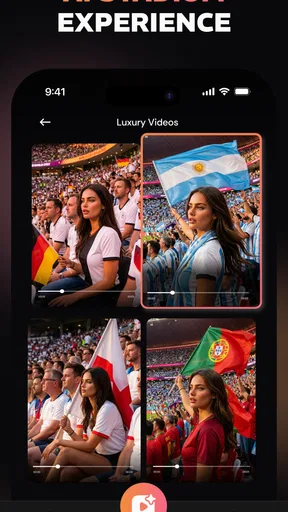
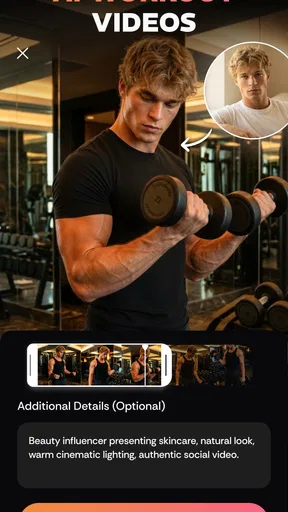

 Analysis by AppCompare
I tried AI Video Generator - Pixaflow as a quick way to turn simple ideas into short, attention-grabbing clips, and my first impression was clear: this is aimed at people who want to experiment with AI video without opening a full editing suite. It belongs to the art and design side of mobile apps, but its practical appeal is closer to a lightweight social-video workshop. You bring an idea, choose a visual direction, and see whether the result is worth sharing or refining.
That distinction matters. Pixaflow is not the kind of tool I would choose for a carefully controlled commercial production, a detailed animation pipeline, or a project where every frame must match a storyboard. I see it as a fast creative companion for short-form content, visual jokes, dance concepts, mood pieces, and posts that benefit from movement rather than a static image. The main decision is whether speed and experimentation matter more to you than precise control.
What I considered before deciding whether it was worth using
When I review an AI video app, I look beyond the promise of generating a clip. I want to know how quickly I can move from an idea to something usable, whether the output feels personal or generic, and how much work remains after generation. I also consider whether the app fits a casual creator, someone posting regularly, or a designer who needs dependable results for clients.
Pixaflow makes the most sense when the starting point is loose. For example, I might have a concept for a dreamy city scene, a playful character moment, or a dance-inspired post, but no time to build the visuals manually. In that situation, an AI video generator can remove the hardest first step: creating enough motion and atmosphere to make the idea visible.
The trade-off is that AI-generated video often needs selection rather than blind acceptance. I would expect to review the result, notice awkward movement or an inconsistent subject, and decide whether another attempt is better. That workflow is different from traditional mobile editors, where the raw material is already under my control and the challenge is arranging it well.
Pixaflow is free to install, which makes testing less intimidating. Its age rating is Everyone, so the basic audience is broad. The app is developed by HITDEV AI, and its current version is 1.0.6. Those details suggest a relatively focused tool rather than a mature, all-purpose editing platform, so I approached it as something to explore and evaluate through actual creative use rather than as a replacement for every video app on my phone.
My first practical test: from a vague idea to a shareable clip
I find these apps most revealing when I use an imperfect prompt instead of a polished production brief. A realistic everyday scenario would be preparing a short post for a friend’s birthday or a personal account during a busy lunch break. I may have one image, a rough theme, and a few words describing the mood. Pixaflow is useful in that moment because it encourages a visual starting point instead of demanding that I understand a complicated timeline.
Worth Reading Before You Choose

EA SPORTS FC Mobile 26 Is a Bigger Football Game, but It Takes Time

Flipboard Shows What News Apps Must Do Beyond the Feed

Switching to Android Auto Means Rethinking Your Driving Routine

Google Calendar Makes a Crowded Week Easier to Manage

Ludo King Makes the Most of the Minutes Between Plans

Baby Panda World Brings Quick Play to Modern Phones, but Its Game Library Feels Busy
My advice is to begin with one subject, one action, and one setting. A request that tries to describe a character, a crowd, a camera move, several transitions, and a precise emotional tone gives an AI system too many opportunities to make compromises. I get more useful results by treating the first generation as a draft. Once I know what the app handles well, I can make the next attempt more specific.
This is one of the less obvious ways to use the app: do not judge it only by the first clip. The real value is in the iteration loop. I can generate a broad concept, identify the strongest visual element, and then build the next version around that element. This feels closer to sketching than exporting a finished video, and it is a better mindset than expecting a perfect result immediately.
Why the dance-focused direction is useful
The dance AI video maker angle gives Pixaflow a recognizable use case. Dance clips depend on movement, rhythm, and a clear silhouette, so they are naturally suited to short social posts. Even when I am not making a literal dance video, motion-focused generation can help create a more energetic result than a slideshow or a still image with a basic zoom effect.
There is also a practical creative advantage here. A dance concept can be used as a template for a character reveal, a transformation, a playful product idea, or a visual loop. I would not assume every generated movement will look convincing, but the category gives me a starting point for testing motion instead of spending time learning keyframes in a conventional editor.
For the best chance of a coherent clip, I would keep the subject visually simple and avoid asking for complicated interactions between several people. I would also inspect hands, faces, clothing, and repeated movements before sharing. These checks are not busywork; they are the difference between an amusing AI experiment and a clip that looks unfinished.
Where Pixaflow wins against familiar alternatives
Compared with a standard mobile editor, Pixaflow wins at the idea stage. A traditional editor is excellent when I already have footage and want to trim it, arrange it, add text, or control the timing. It is much less helpful when I have only a concept and need visual material from scratch. Pixaflow addresses that blank-page problem directly.
Compared with a still-image generator, its advantage is movement. A single image can establish a look, but a short video can communicate energy, transformation, or a reaction more quickly. For social content, that difference can make an idea feel more alive without requiring me to film anything myself.
It also has an advantage over a full desktop-style production workflow for casual experiments. I do not need to plan a complete sequence before seeing whether the idea has potential. That low commitment is valuable when I am exploring a visual style, preparing a quick post, or creating something personal rather than delivering a polished campaign.
The strongest use case I found is therefore not “replace your editor.” It is “help me discover a clip worth editing.” Once I have a promising result, I may still prefer another app for precise trimming, captions, audio balancing, branding, or final export work. Pixaflow is most effective as the creative engine at the front of that process.
Where another category of app may fit better
If I already have recorded footage, I would usually choose a conventional video editor first. It gives me direct control over the material I captured, which is important for travel videos, tutorials, interviews, and anything where timing must follow real events. AI generation can add flair, but it is not automatically better than editing footage that already contains the moment I need.
A dedicated animation or design application may also be a better choice when consistency is essential. Brand characters, product demonstrations, educational diagrams, and client work often require repeatable shapes, colors, and motion. A generative workflow can be inspiring, but it may demand more checking than a controlled design system.
I would also skip Pixaflow if I dislike trial and error. The app is better suited to someone who enjoys comparing variations and selecting the most convincing attempt. If I need one predictable output on the first try, a template-based editor or a manual timeline may feel less frustrating, even if it takes longer to assemble.
Another important trade-off is authenticity. A generated dance or visual scene can be fun, but it is not a substitute for genuine footage when the point is to document a real person, place, or event. I would use Pixaflow for interpretation and invention, not for situations where viewers reasonably expect an unaltered record.
Small workflow choices that improve the result
I would separate idea development from finishing. First, I would use Pixaflow to test the concept and choose the strongest visual direction. Then I would move to a familiar editor only if the clip needs exact timing, additional text, a particular soundtrack, or a sequence of several scenes. This prevents me from forcing one app to handle jobs it was not designed to handle.
A second useful habit is to write prompts like a director, not like a shopper. Instead of piling on adjectives, I would describe the subject, action, environment, and overall mood in a clear order. That makes it easier to identify what changed between attempts. It also helps me learn whether a weak result came from the idea itself or from an overloaded instruction.
Third, I would create a short review checklist before sharing anything: does the main subject remain recognizable, does the movement make sense, is the most important moment visible, and does the clip still work without an explanation? This is especially valuable for dance-oriented outputs, where a strange limb or unstable background can distract viewers immediately.
A fourth insight is to design for the destination before generating. If the clip is meant for a vertical social feed, I would keep the key action near the center and avoid placing essential details at the edges. If I plan to add text later, I would leave visual breathing room rather than covering the subject with captions. Even a strong generated scene can become awkward if the composition does not survive the final layout.
Free access, optional spending, and the cost of switching
Pixaflow is free, so I can explore the basic experience before deciding whether it deserves a regular place in my workflow. The app includes in-app purchases ranging from $5.99 to $39.99 per item. That makes it important to think about usage habits rather than judging the app only by its installation cost.
If I create occasional birthday clips, visual jokes, or personal experiments, free access may be enough to decide whether the style suits me. If I generate repeatedly for a content schedule, I would pay closer attention to how quickly my available usage is consumed and whether the resulting clips save enough time to justify spending. The right question is not simply whether a purchase exists, but whether the saved creative effort is worth the cost for my particular routine.
Switching away from Pixaflow is relatively easy when I treat it as an idea generator. I can keep the concepts I discover and finish them elsewhere. The harder switch happens if I build a habit around generating many variations inside the app and later realize that I need more detailed editing, consistent characters, or dependable production control. In that case, I may need to recreate the workflow in a different category rather than transfer it directly.
My practical recommendation is to test one repeatable project before spending. For instance, I would make several versions of the same short concept, compare how much manual correction each needs, and ask whether the best result is genuinely faster than using footage, a template, or a still-image workflow. That experiment tells me more than a single impressive preview.
Who will enjoy it, and who should pass
I would recommend Pixaflow to curious creators who want to turn loose ideas into animated social content, especially people interested in AI visuals and dance-inspired clips. It is also a good fit for someone who wants a low-pressure way to explore video creation without first learning a complex timeline.
It may suit small creators who need visual prompts for posts, designers looking for motion references, and friends making playful personalized content. The app is particularly appealing when the goal is to produce several creative directions quickly and choose one that feels worth developing.
I would be more cautious about recommending it to professional editors, agencies, filmmakers, or anyone working with strict client requirements. They may value control, consistency, and repeatability more than fast generation. A dedicated editor, animation package, or carefully managed production workflow could be the better investment for those needs.
I would also suggest skipping it if the main goal is basic trimming, subtitles, or organizing camera footage. Those tasks are usually handled more directly by established video editors. Pixaflow earns its place when the missing ingredient is generated motion and visual invention, not when the job is ordinary file management.
My recommendation after using it as a creative tool
AI Video Generator - Pixaflow has a clear purpose: it helps me move from an idea to an animated concept quickly, with particular appeal for short viral-style videos and dance-related experiments. Its free entry point makes it easy to try, while its art and design focus gives it a more playful identity than a conventional editing timeline.
I would not treat it as a complete production studio. I would treat it as a fast sketchbook that can sometimes produce a shareable result on its own and, at other times, give me the raw creative direction for a better-finished video elsewhere. That limitation is also its strength, because the app feels less intimidating when I stop asking it to do everything.
The app has an average rating of 4.5 from around 6.1 thousand ratings and has passed 100 thousand installs, which shows that it has attracted meaningful early interest. Those figures do not replace personal testing, but they make it reasonable to put on a shortlist if AI video creation is something I genuinely want to explore.
My final advice is simple: install it if you enjoy visual experimentation, begin with a small concept, and judge the workflow by the quality of the best usable variation rather than the first attempt. Keep a traditional editor nearby for precise finishing, and think carefully before paying for repeated generation. Pixaflow is worth trying when imagination is your bottleneck; it is not the right choice when control is the priority.
Pros
- Turns text prompts into short videos with minimal editing effort.
- Useful templates help beginners create content quickly.
- Supports creative experiments with different visual styles.
- Simple interface makes the main tools easy to find.
- Can speed up social media content production.
Cons
- Results may not always match the prompt accurately.
- Advanced features may require a paid subscription.
- Video generation can take time during busy periods.
- Some outputs may look repetitive or lack fine detail.
- Stable internet access is needed for most functions.
FAQs for AI Video Generator - Pixaflow
What is AI Video Generator - Pixaflow, and what can I use it for?
AI Video Generator - Pixaflow is designed to help users create short videos from written prompts, images, or creative concepts without requiring advanced editing experience. It can be useful for social media posts, promotional clips, visual storytelling, presentations, and experiments with AI-generated content. Results may vary depending on the prompt, source material, selected style, and the app’s available generation options.
Is AI Video Generator - Pixaflow free to download and use?
The application may be available to download at no initial cost, but some features can require in-app purchases, credits, a subscription, or viewing advertisements. Before generating multiple videos, check the pricing page and subscription terms carefully, especially if the app offers a free trial that automatically renews. The exact limits, export options, and premium tools can change with future updates.
Do I need an internet connection to generate videos in Pixaflow?
Yes, an active internet connection is generally necessary because AI video generation is usually processed through online servers rather than entirely on the phone. A stable Wi-Fi or mobile-data connection can make uploads, prompt processing, previews, and downloads more reliable. Generation time may also depend on server demand, video complexity, and the quality or length of the requested output.
Can I use the videos created with AI Video Generator - Pixaflow commercially?
Commercial use depends on Pixaflow’s current terms of service, the plan you choose, and the rights associated with any images, music, characters, or other materials used in a project. Do not assume that every generated video is automatically cleared for advertising or resale. Review the licensing conditions before publishing content for a business, and only upload media that you own or are authorized to use.
What should I know about privacy when uploading photos or prompts to Pixaflow?
Before using the app, review its privacy policy to understand how prompts, uploaded images, generated videos, and account information are collected, stored, and processed. Avoid submitting confidential documents, private photographs, personal identification, or sensitive information unless you are comfortable with the stated data practices. Also check whether uploaded content may be retained for service improvement or deleted after processing.


